



Free Incorporation when you bundle with Accounting
Free incorporation . worth $350 when bundled with Accounting. 7/100 slots already claimed. Act fast. T&C’s apply
Singapore
Australia
Hong Kong
United Kingdom

Managing Payments Via Money Transfer Singapore 2026

Money Transfer in Singapore
By
|
|
6 mins read

|

Published:
|
Updated:

Get paid faster, locally and globally

To send and receive money without hassle, you need a money transfer Singapore setup that actually works. But that’s not always the case. Switching between apps, chasing OTPs, and hoping clients used the right reference is all too common. 

With a Sleek Business Account, we’re changing the way businesses transfer money. Our account lets you do everything in one place: receive SGD and foreign currency payments, send local or international transfers, and skip the paperwork.

Whether you’ve just registered a business or you’re already running one, this guide will walk you through how to receive and how to send money in Singapore.

document.addEventListener("DOMContentLoaded", function() { document.getElementById('scheduleameeting1')?.addEventListener('click', function() { fireEvent('SG_CTA_Popup_Meeting_Resource_Schedule_a_meeting_1'); }); });

How to receive money in Singapore

Getting paid shouldn’t be stressful. Here’s what you need to learn about money transfer Singapore with Sleek, both from local clients and overseas customers.

Step 1: Log in to your Sleek Business Account

Go to Sleek and click “Log in” at the top right.

Log in to Sleek
Log into your Sleek account

Step 2: Enter your email and password

Use your registered credentials to access your dashboard.
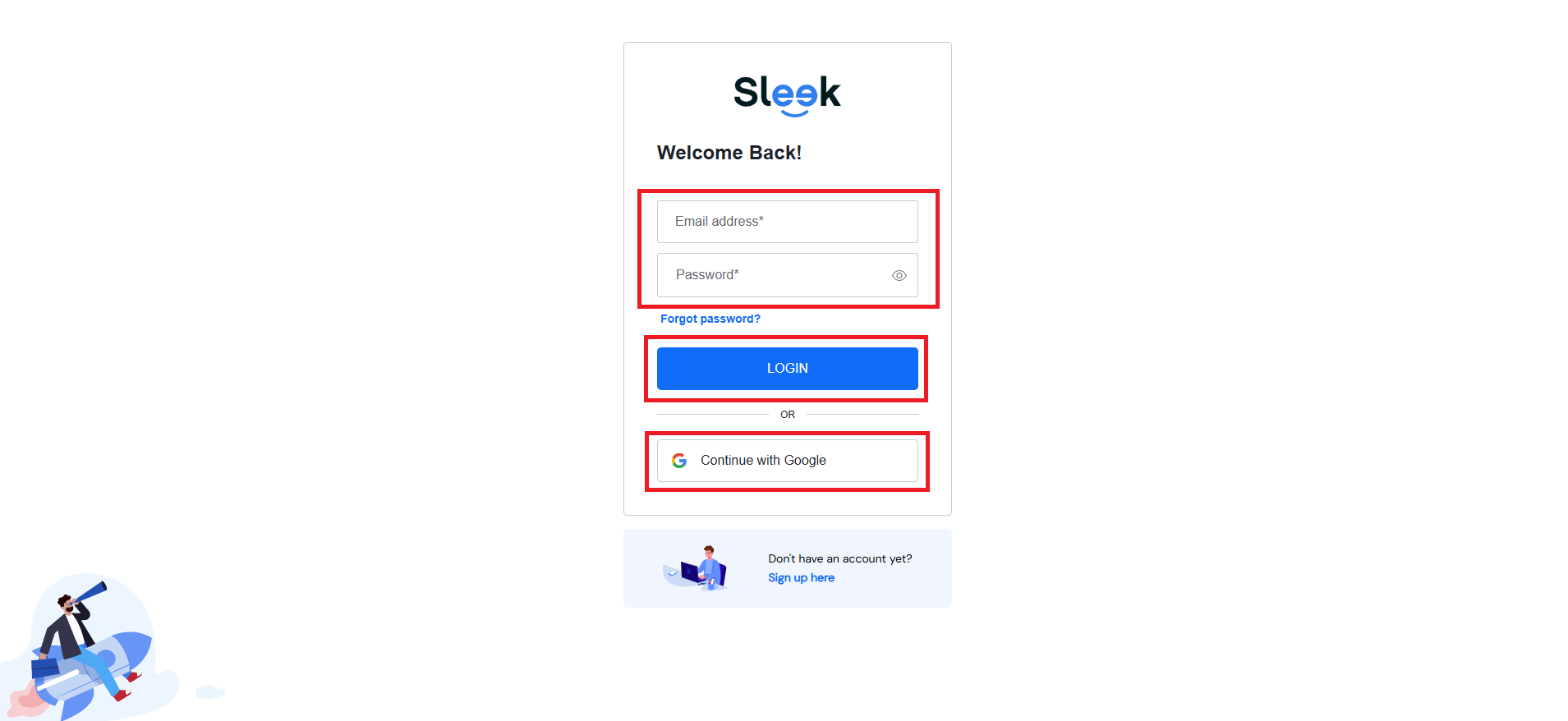
Enter your credentials to sign into your Sleek Business Account
Enter your credentials

Step 3: Click “Business Account” from the left menu

This opens your main business banking view.

Sleek Business Account for money transfer in Singapore

Step 4: Complete OTP verification to receive money transfer Singapore

Choose to receive your one-time password via SMS. After a short countdown, you’ll also see an option to receive the OTP via your registered email.

Verify OTP to receive overseas transfer

Step 5: Click “Receive Money”

Inside your Sleek Business Account, click “Receive Money”.

Receive money from overseas
Choose “Receive Money”

You’ll find two options here:

  • “PayNow QR” for local SGD payments
  • “Bank Transfer” for local/international incoming funds
Generate PayNow QR or Bank Transfer

Option A: Receive funds via “PayNow QR” (SGD only)

This method is perfect for local clients sending SGD payments within Singapore. It’s fast, trackable, and you can generate a unique QR code in seconds.

Here’s how it works:

Click “Create PayNow QR”
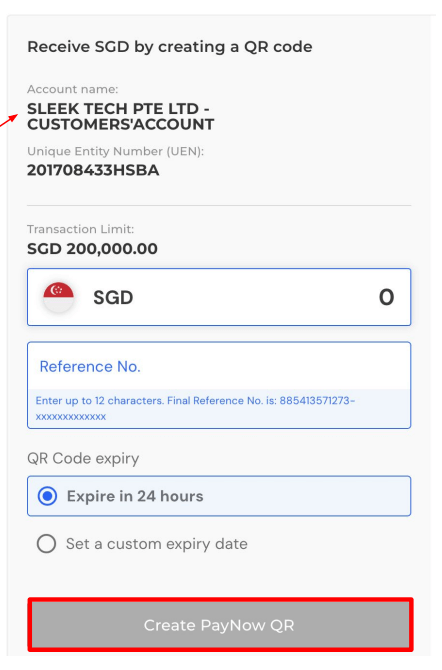
Money transfer Singapore using PayNow QR

After generating your PayNow QR code, download the image and send it to your client for immediate payment.

Your sender will see:

  • The amount and reference you set
  • “Sleek Tech Pte. Ltd.” as the recipient name (Sleek collects payments on your behalf)
  • A QR code that becomes inactive once payment is made

Note: This method is only for SGD payments within Singapore. It does not support transfers from overseas or non-FAST participating banks.

Note Icon

Want to do money transfer Singapore via PayNow?

Whether you're paying friends, getting paid for freelance gigs, or managing business transfers, this step-by-step guide has you covered.

Option B: Receive funds via “Bank Transfer” (wire transfer)

Ideal for remittance or international wire transfers, this method supports multiple currencies and payment types.

Here’s how to use it:

Select Bank Transfer. Copy your account details and share with your client or payer.

Bank transfer Singapore

What’s supported:

    • FAST: For SGD payments within Singapore (up to SGD 200,000)
    • SWIFT: For international wire transfers in supported currencies
    • Currencies: SGD, USD, EUR, GBP, AUD, CAD, HKD, JPY, NZD, NOK, SEK, CHF
  • Auto FX: Unsupported currencies are converted to SGD

Tip: You can use the same account details for all incoming transfers. There’s no need to generate separate bank instructions each time.

How to send money transfer Singapore

Paying suppliers or sending overseas salaries? Here’s how to transfer funds with your Sleek Business Account, whether it’s a local FAST transfer or an international SWIFT payment.

Step 1: Log in to your Sleek Business Account

Go to Sleek and click “Log in”.

Log in to Sleek
Log into your Sleek account

Step 2: Enter your email and password

Enter your registered credentials to log in to your dashboard.

Enter your credentials to sign into your Sleek Business Account
Enter your credentials

Step 3: Click “Business Account”

On the left, click “Business Account” to get your main business banking view.

Sleek Business Account for money transfer in Singapore

Step 4: Complete OTP verification to transfer money in Singapore

Receive your one-time password via SMS. If needed, you can also request it through your registered email.

Verify OTP to receive overseas transfer

Step 5: Click “Recipients”

Before sending money, you’ll need to add your recipient’s bank details. Click “Recipients” on the left menu.

Add recipient for money transfer Singapore
Add recipients

Then click “NEW” and fill in:

  • Recipient’s full name
  • Bank name and account number
  • Currency and country
  • Recipient’s address and city

Once done, click “Add recipient”.

Step 6: Click “Pay & Transfer”

This is where you start the actual money transfer.

Pay and transfer
Pay and transfer

You’ll choose one of two methods:

Option A: Local Transfer (FAST)

Use this to send SGD to a recipient within Singapore (up to SGD 200,000 per transfer). Funds typically arrive the same day.

Option B: International Transfer (SWIFT)

Use this to send foreign currency abroad. SWIFT supports over 12 currencies and reaches banks worldwide. Transfers usually take 1–3 business days.

Step 7: Fill in the payment details

After selecting the transfer method:

  • Choose your currency and wallet
  • Enter the amount to send
  • Add a payment purpose
  • Optionally, include a description/reference

Step 8: Review and click “Send”

Check all details, then click “Send” to confirm the transfer. You’ll see confirmation once it’s successful.

Tip: You can hold funds in multiple currencies and convert between wallets when needed, such as USD to EUR or HKD to SGD.


Why use Sleek for money transfer Singapore

Managing money transfers in Singapore, especially from overseas, can feel overwhelming. You’re handling different platforms, currency conversions, unclear sender info, and bank forms that seem built for frustration.

Whether you’re dealing with clients in Tanjong Pagar or Toronto, Sleek gives you a better way to get paid.

With a Sleek Business Account, you can:

  • Receive SGD via PayNow QR in seconds
  • Accept international transfers in 12+ currencies
  • Send payments locally and overseas without branch visits
  • Track transactions in real time
  • Avoid paperwork, delays, and payment mismatches

And whether you’ve just registered your business or are scaling across markets, Sleek keeps everything (compliance, payments, invoicing) under one login.

Handling payments from Singapore and beyond?

FAQs on receiving money transfer Singapore

Yes. If you’re using Sleek Business Account, no matter whether it’s a local FAST transfer or an overseas SWIFT wire transfer, you can use the same account number. There’s no need to generate new details every time a client wants to pay you.

Just choose the option that fits best. With Sleek, you can:

  • Use PayNow QR for local SGD payments within Singapore
  • Use Bank Transfer for any currency (local or international)

You can also download your payment details as a PDF to send your client a clear, ready-to-use set of instructions.

No. Sleek supports multi-currency transfers. Payments in supported currencies (USD, EUR, GBP, etc.) go into dedicated accounts. Unsupported currencies are automatically converted to SGD for you.

  • FAST (local SGD transfers): Usually within the same day
  • SWIFT (international transfers): Typically 1–3 business days, depending on the sending bank and currency

Note: Delays can happen during public holidays or when no payment reference is added.

Absolutely. Whether you’ve just started a business or are working on your own as a founder or freelancer, the Sleek Business Account is built to be simple, fully online, and easy to use. There’s no need for extra paperwork or long waiting times.

Sleek is the preferred partner of entrepreneurs
Expertise in company incorporation, accounting, tax services, and compliance.
Trusted by over
450,000
businesses worldwide.
4.8/5
five stars icon
on Google
from 4,100+ reviews.
95%
satisfaction rate from
16,000 surveyed clients.