


Free Incorporation when you bundle with Accounting
Free incorporation . worth $350 when bundled with Accounting. 7/100 slots already claimed. Act fast. T&C’s apply
Days
Hours
Min
Secs
Singapore
Australia
Hong Kong
United Kingdom

How To Get Your Business Transaction Statement

Business Transaction Statement
By
|
|
3 mins read

|

Published:
|
Updated:

Want your transaction statement?

Can’t find your business transaction statement when you need it most?

This is a routine pain point for many businesses. Whether it’s crunch time before tax filing, a last-minute request from your accountant, or just part of your month-end routine, scrambling for transaction records is common for entrepreneurs and finance teams.

The good news? With Sleek’s Business Account, you can access your transaction statements in seconds.

This step-by-step guide will help you export them easily.

Let’s get started.

document.addEventListener("DOMContentLoaded", function() { document.getElementById('scheduleameeting1')?.addEventListener('click', function() { fireEvent('SG_CTA_Popup_Meeting_Resource_Schedule_a_meeting_1'); }); });

How to view and download your Sleek business transaction statement

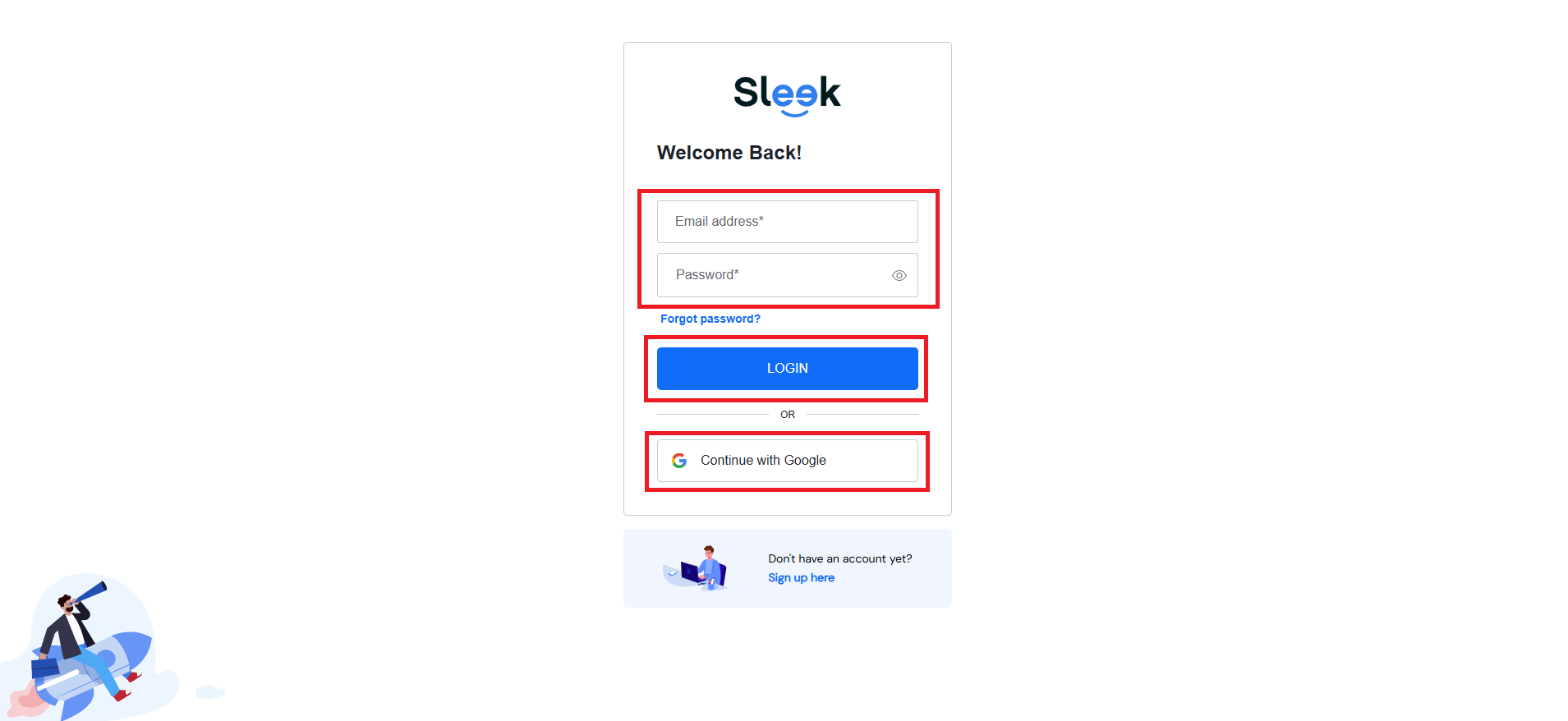
Step 1: Log in to your account

Go to Sleek and click “Log in” at the top right.

Log in to Sleek
Log into your Sleek account

Then, enter your credentials.

Enter your credentials to sign into your Sleek Business Account
Enter your credentials

Step 2: Click on “Business Account”

Once logged in, click “Business Account” on the left.

Sleek Business Account for money transfer in Singapore You’ll be prompted to verify your identity.

Step 3: Enter your OTP

You’ll get a 6-digit code on your registered mobile number.

Enter it to access your Business Account features.

Step 4: Open the statements section

Once inside your account dashboard, click the “Statements” button.

Business transaction statements
Statements tab on Sleek Business Account

This gives you access to all downloadable transaction data.

 Step 5: Choose your date range and download

Select the Year and Month (even multiple months) and click “Download”.

Choose time period
Choose time range

The file will be generated as a PDF.

Step 6: Open the downloaded PDF statement

Once downloaded, open the PDF.

Details on your business transaction statement

You can now view:

  • Company name
  • Account ID
  • Transaction history
  • Running balances

What’s a business transaction statement, and why do you need it?

What is a Business Transaction Statement
What is a business transaction statement

A business transaction statement gives you a monthly or multi-month breakdown of all activity in your business account:

  • Incoming payments
  • Outgoing transfers
  • Internal charges
  • Balance snapshots

Unlike a traditional bank statement, this is fully digital and downloadable straight from your account dashboard.

You’ll need it for:

  • Submitting records to your accountant
  • Cross-checking invoices
  • Tax filing with IRAS
  • Applying for business loans or grants
  • Staying on top of cash flow (especially if you work across multiple currencies)

Pro tips for using your business transaction statement

  • Use it as a backup document for tax reporting
  • Reconcile it against invoices or vendor receipts
  • Upload it to your accounting software for easier tracking
  • Share with your accountant or bookkeeper to speed up the month-end

How Sleek helps you keep track of your business transaction statement

Accessing your business transaction statement shouldn’t be frustrating. Whether you are handling payroll, filing taxes, matching payments, or checking your company’s cash flow, Sleek’s Business Account dashboard makes the process smooth and straightforward.

With a Sleek Business Account, you can also:

  • Manage transactions in multiple currencies (SGD, USD, EUR and more)
  • Send and receive payments via PayNow and wire transfer
  • Make local and international transfers securely
  • Generate monthly transaction statements for accounting or audit needs
  • Enjoy secure access with OTP-based login and encryption
  • Track balances and activity at a glance from your dashboard

When clarity meets control, growth follows. Sleek makes it possible.

Financial documentation shouldn't slow you down.

FAQs on on business transaction statement

Yes. You can select one or more months from the drop-down menu before downloading your statement. It’s perfect for quarterly reports, year-end reviews, or backdated accounting needs.

Not exactly. This is a transaction statement generated from your Sleek Business Account. While it isn’t a traditional bank-issued document, it contains all the essential details for tracking, reconciling, reporting, and even auditing.

No worries.

  • Wait a few seconds, it might still be on the way
  • Click “Resend OTP” if needed
  • Make sure your mobile number is current in your account settings.

Still stuck? Contact our friendly team for immediate assistance.

Sleek is the preferred partner of entrepreneurs
Expertise in company incorporation, accounting, tax services, and compliance.
Trusted by over
450,000
businesses worldwide.
4.8/5
five stars icon
on Google
from 4,100+ reviews.
95%
satisfaction rate from
16,000 surveyed clients.