







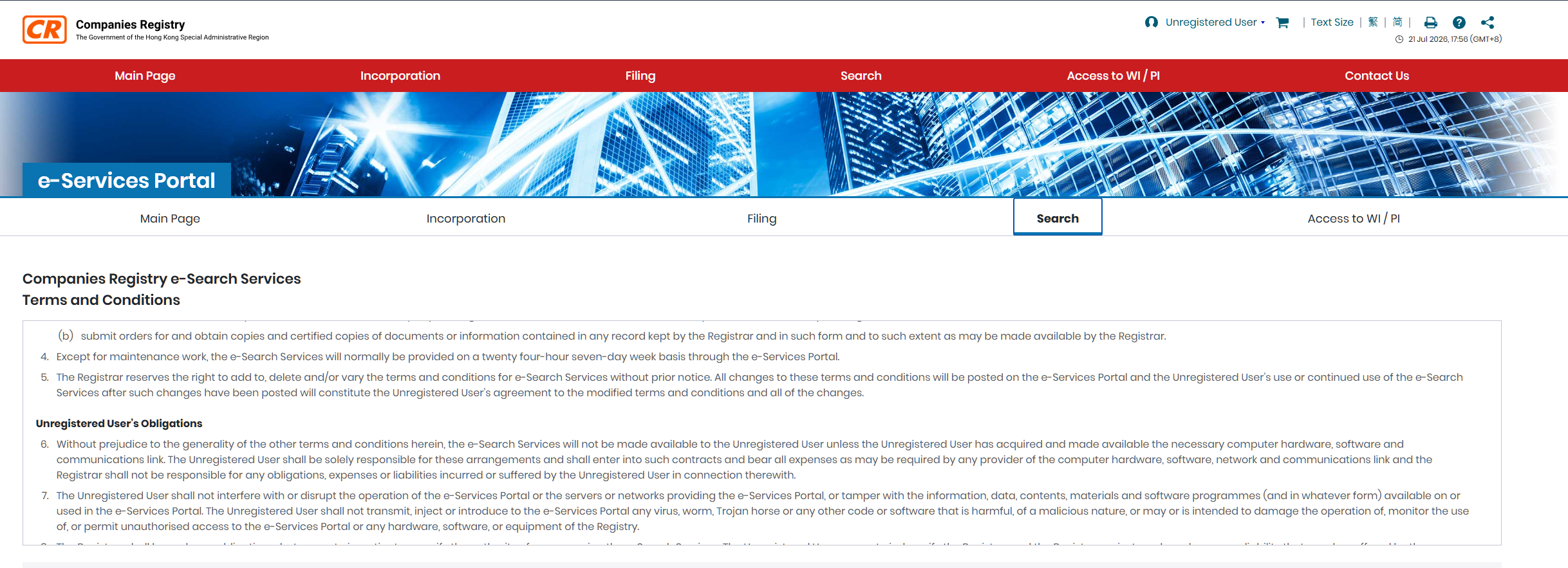
- ICRIS is the Companies Registry’s records system. You search it through the e-Services Portal at www.e-services.cr.gov.hk.
- You don’t need an account. An optional e-Search subscription costs HK$500 a year.
- Company name, document index, charges index and disqualification orders searches are free. A Company Particulars Report costs HK$22.
- Since 27 December 2023, you can search a company by its business registration number (BRN), which now serves as its Unique Business Identifier.
- Directors’ names are public, but residential addresses and full ID numbers filed since 24 October 2022 are protected.





- What is ICRIS? The Companies Registry's online system for searching Hong Kong company information.
- Where do I search? The official e-Services Portal at www.e-services.cr.gov.hk.
- Is a search free? Yes for basic name, document-index, charges and disqualification searches. A Company Particulars Report is HK$22.
- Do I need an account? No for basic e-Search. Register only if you want a paid subscription or e-Filing.
ICRIS Hong Kong is what most people mean when they say “company search”: it’s how you check whether a Hong Kong company exists, who runs it and what it has filed. The basic checks are free. The paid ones cost HK$11 to HK$29 each, and it’s easy to buy the wrong one.
If you’re checking your own company’s record, it’s only as accurate as the filings behind it. Keeping those up to date is part of what a Company secretary does.
In this guide, you’ll learn:
- How to access ICRIS, with or without an account
- Which searches are free and what the paid ones cost
- How to search a company step by step
- What the public can and can’t see about your company

What is ICRIS in Hong Kong?
ICRIS (the Integrated Companies Registry Information System) is the Companies Registry’s system for storing and searching company records. You use it through the e-Services Portal, which launched with the revamped ICRIS on 27 December 2023 and replaced the Registry’s older online systems.
Through ICRIS, you can look up a company’s status, filed documents, charges and directors, and buy copies of the documents themselves. The same portal also handles e-Filing, which this guide doesn’t cover.
ICRIS is the tool. The Hong Kong Companies Registry is the institution behind it.
What do people use ICRIS for?
Due diligence, name checks and verifying that a company is real and current. Common business uses include:
- Checking a supplier or client: confirm the company exists, is live and has the name it claims.
- Choosing a company name: see whether a name is taken before you pick your company name.
- Verifying details on documents: match the registered office and company number on a contract or invoice.
- Reviewing your own record: check that recent changes, such as new directors, show correctly.
For CFOs and operations managers, ICRIS is a first-pass due-diligence tool. For first-time founders, the free name search is often the starting point before incorporating with Sleek.
How do you access ICRIS, and do you need an account?
Go to the e-Services Portal and search as an unregistered user. No account is needed. The portal works on computers and mobile devices, in English or Chinese.
| Access route | Cost | Best for |
|---|---|---|
| Unregistered online user | Free to use; pay per paid search | Occasional searches |
| e-Search subscriber | HK$500 a year (principal account); HK$100 for each extra account | Frequent searches: adds keyword name search and lower image-record fees |
| e-Services Centre | Pay per search | Searching in person: 13/F, Queensway Government Offices, 66 Queensway; 8:45am to 5:30pm, Monday to Friday, except public holidays |
You only need to register if you want a subscription, use e-Filing, or apply for access to protected or withheld information.
What can you search on ICRIS, and what does it cost?
Index searches are free. Reports, director searches and document images are paid. Start with the free searches, and only pay for the detail you need.
| Search | What it shows | Fee |
|---|---|---|
| Company Name Search | Company number, status, incorporation date, company type, name history | Free |
| Document Index Search | List of documents filed, with dates | Free |
| Charges Index Search | Registered charges, such as mortgages | Free |
| Disqualification Orders Index | People disqualified from acting as directors | Free |
| Company Particulars Search | Registered office, share capital, directors and company secretary | HK$22 per company |
| Directors Index Search | Directors of a company, or companies a person directs | HK$11 per company; HK$22 per director |
| Director Particulars Search | Details of a named director | HK$11 per director |
| Image Record Search | Copies of filed documents | HK$9 to HK$29 per document |
Searching by BRN: since 27 December 2023, a company’s business registration number (BRN) is the key number for ICRIS searches. If you only have an older company number, use the Quick Search’s CR No./BRN mapping to match the two.
Certificates and certified copies: a certificate of continuing registration costs HK$170, and certifying a copy or extract costs HK$130, plus the copy fee. Fees come from the Registry’s Price Guide to Main Services, so check it before you pay.

How do you search a company in ICRIS step by step?
Open the e-Services Portal, log in or continue as an unregistered user, pick your search type, enter the company name or number, then view the free results or buy a paid report. Here is the full online flow.
Step 1: Go to the portal
Open www.e-services.cr.gov.hk on a computer or mobile device, and choose English or Chinese.
Step 2: Choose how to log in
Select Unregistered User Services to search without an account, or log in to your registered account if you have one.
Step 3: Open the Search menu
Pick a search type: Company Name Search, Document Index, Charges Index, Directors Index, Company Particulars or Image Record.
Step 4: Pick your name-search mode
For a free search, use Left Partial Search (type the start of the name and leave off endings like “Limited” or “有限公司”) or Exact Name Search (type the full name exactly, including punctuation, spacing and the ending). Keyword search is a paid mode for registered users only.
Step 5: Scan the result list
A left partial search shows up to 500 records, with the total count on the first page. Enter a longer string to narrow a broad result.
Step 6: Open the company record
Review the free basics: status, incorporation or registration date, name history and company type.
Step 7: Browse the Document Index (free)
See which documents have been filed, their dates and processing status. Use a Document Group, such as “Directors, Company Secretary and Authorized Representatives”, to jump to the filings you want.
Step 8: Buy deeper detail if you need it
Order a Company Particulars Report (HK$22) for the registered office, share capital, shareholders, directors and company secretary, or order image records of specific filings.
Step 9: Pay online
Use a credit card (VISA, Mastercard, JCB, UnionPay), Apple Pay or Google Pay, FPS, or PPS Shop&Buy. A digital receipt appears on screen.
Step 10: Download or view the result
Ordered items are usually ready within 5 minutes and stay in the download area for 7 calendar days. Image records open in a PDF viewer. Certified copies come as hard copies, collected at the e-Services Centre or posted for a handling charge.

Save or print your digital receipt before you leave the payment screen. As an unregistered user, you need the Order Number and Download Code on it to download what you paid for. The portal also logs you out after 20 minutes without a search.
How do you search a person’s directorships in Hong Kong?
Use the director-based Directors Index Search on ICRIS. It lists the Hong Kong companies a named person is a director of, for HK$22 per director.
| What you want to know | Search to use | Fee |
|---|---|---|
| Which companies a person directs | Directors Index Search (director-based) | HK$22 per director |
| Who the directors of a company are | Directors Index Search (company-based) | HK$11 per company |
| Details of a named director | Director Particulars Search | HK$11 per director |
| Whether a person is disqualified from being a director | Disqualification Orders Index | Free |
Directors’ residential addresses and full ID numbers won’t appear in the results, because they’re protected information. Before appointing a new director, check the free disqualification orders index.
How do you read ICRIS search results?
Start with the status and filing history, which are free, before paying for directors and shareholding details.
| What you see | What it tells you | Free or paid |
|---|---|---|
| Status (for example, live or dissolved) | Whether the company still exists | Free |
| Incorporation date and name history | How long it has existed, and any earlier names | Free |
| Document Index | Whether filings such as the annual return are up to date | Free |
| Charges Index | Whether the company has borrowed against its assets | Free |
| Registered office, directors, company secretary, share capital | Who runs the company and where it’s based | Paid (Company Particulars Report) |
A live status with a gap in recent filings is worth a closer look before you sign a contract.
What information about your company is public on ICRIS?
Your company’s status, filings and directors’ names are public. Directors’ residential addresses and full ID numbers are not.
| Type | What it covers |
|---|---|
| Public | Company status, history and filings; directors’ and company secretary’s names; registered office |
| Protected information | Directors’ usual residential addresses and full ID numbers, and company secretaries’ full ID numbers, in documents filed on or after 24 October 2022 |
| Withheld information | The same details in earlier documents, where the person has applied to withhold them |
Only specified persons, such as the data subject, solicitors, practising CPAs and financial institutions, can apply to see protected or withheld information. Who ultimately owns or controls the company is recorded separately, in its significant controllers register, which isn’t on ICRIS.
Spotted something out of date on your own company’s record? Sleek’s company secretary files the change for you. A new registered office is included from HK$1,300/year, and director or share changes are covered on Premium. See how switching works →
If it’s the address that’s wrong, see how a change of company registered address works.
What mistakes do people make with ICRIS searches?
Paying before checking the free results
The free searches confirm whether a company exists, whether it’s live and what it has filed. Check them first, so you only pay for the report you actually need.
Typing the full name with “Limited”
Left Partial Search works best without the ending. Typing “Limited” or “Ltd” in a different form from the register can hide the company you’re looking for.
Losing the download code
Unregistered users need the Order Number and Download Code to download paid results. Without them, you may end up paying twice.
Using an old company number only
Since 27 December 2023, the BRN is the main search number. If an old company number doesn’t work, use the CR No./BRN mapping in Quick Search.
How Sleek helps keep your Companies Registry record accurate
Anyone can see your company’s record on ICRIS, so it’s worth making sure it’s right.
With Sleek, you can:
- Keep filings on time: our licensed company secretary (TCSP licence TC006483) files your annual return and tracks your deadlines.
- Record changes properly: we file director, company secretary and registered office address changes with the Companies Registry.
- Handle share changes: director appointments, share allotments and transfers are included on the Premium plan.
- Start right: incorporate your company with the correct details on the register from day one.
Your public record then matches your company, whenever a client, bank or investor looks it up.


450,000
businesses worldwide.


from 4,100+ reviews.

satisfaction rate from
16,000 surveyed clients.
FAQs about ICRIS in Hong Kong
Is ICRIS the same as the e-Services Portal?
Not quite. ICRIS is the Companies Registry’s records system. The e-Services Portal is the website you use to search it and file documents.
Can I search ICRIS by business registration number?
Yes. Since 27 December 2023, the BRN is the key number for ICRIS searches. To match it with an older company number, use the CR No./BRN mapping in Quick Search.
Can I search a dissolved company?
Yes, through the free Company Name Search. A Company Particulars Report isn’t available for companies dissolved before 1 January 1999, or that applied to be struck off before 1 February 1998.
Can I search ICRIS from overseas?
Yes. The portal is online, and you can pay by international card, Apple Pay or Google Pay. You don’t need a Hong Kong ID or an account.
How do I find all the companies a person is a director of?
Run a director-based Directors Index Search on ICRIS. It costs HK$22 per director and lists the Hong Kong companies that person directs.
View more
Why can’t I see a director’s home address or full ID number?
Since 24 October 2022, these are protected information and aren’t shown to the public. Only specified persons, such as the director themselves, solicitors, practising CPAs and financial institutions, can apply to see them.